
OpenAI Dot: Make It Playable
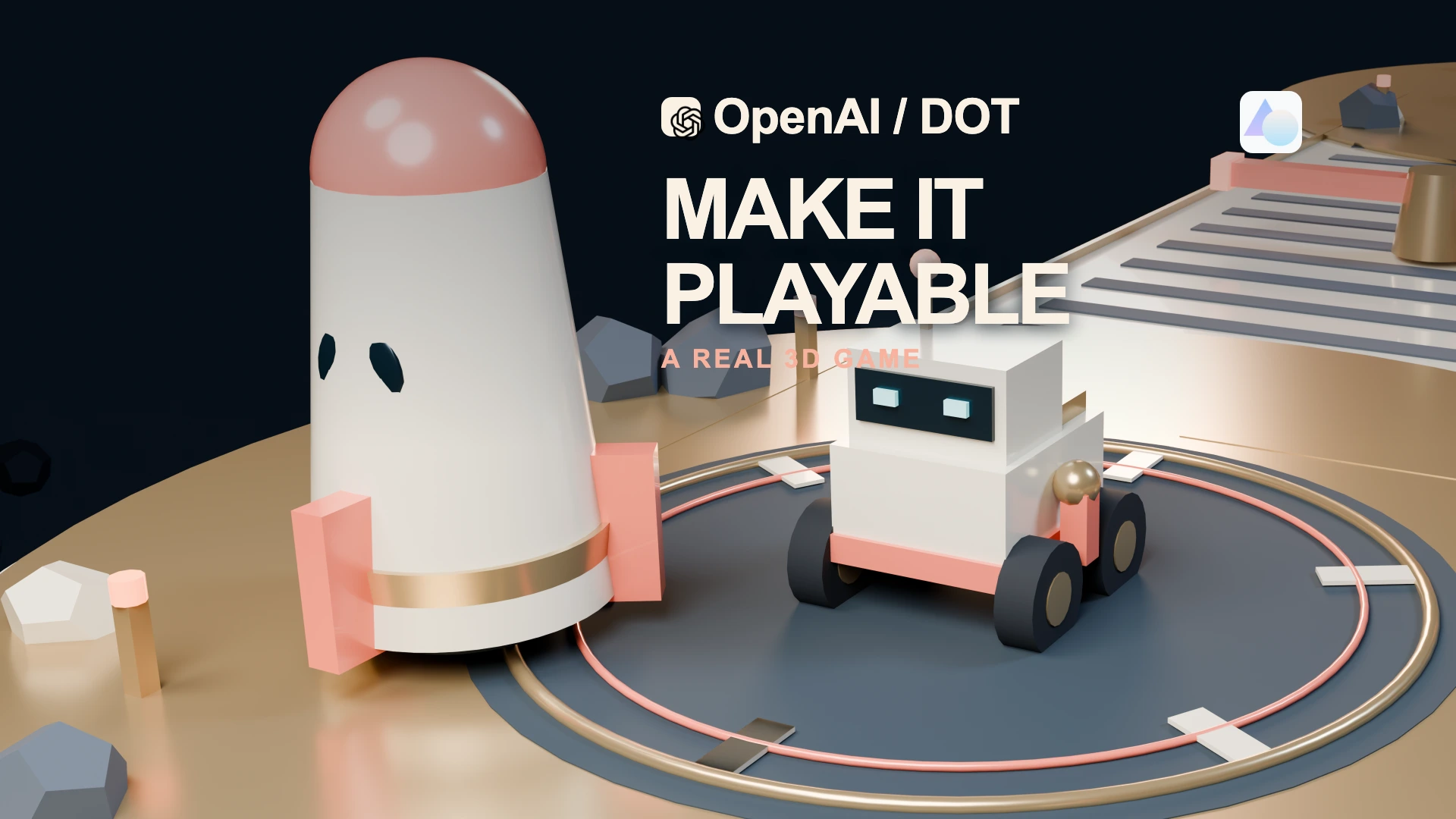
OpenAI introduced Dot at DevDay on September 29, 2026. I wanted to find out what it could make while I was away from my computer. I gave it a small, fictional mission: build a world someone could play. The official launch describes agents that can keep taking care of work between conversations.
A ceramic courier approaches a rotating bar. The bridge has empty space on either side. It jumps, lands, and heads for an energy core. There are two more to collect. Then it has to get back to the rocket.
When I watched the film of this project, I wanted to play the game. That was the result I had hoped for: something interesting enough to open and try.
Meet Dot before we give it a mission
The official product page calls the agents dots, and says “your dot” when talking about the one you create. I use OpenAI Dot here for the product. “Your Dot” in our earlier drafts was a description of a personal agent, not a separate brand name announced by OpenAI.
Dot is an always-on agent, powered by GPT-6 Astra. You can choose its name and appearance, including its shape, eyes and accessories. The characters are playful; the useful promise is that you can give one an ongoing responsibility. Meet dots explains how that agent fits into ChatGPT.
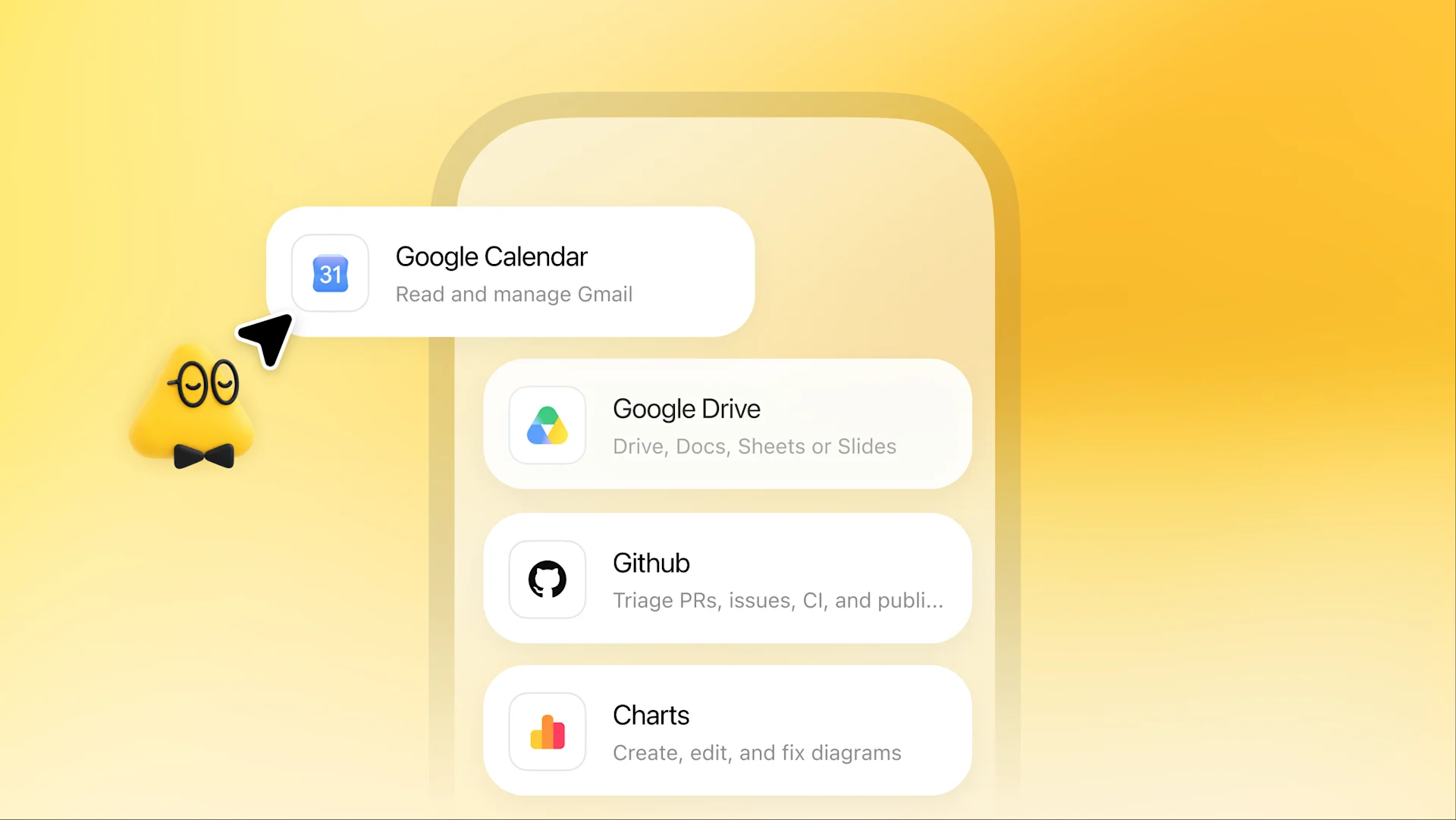
It has its own cloud computer and browser. Cloud work can continue with your laptop switched off. You can also connect a personal computer separately for local files and apps; that computer must stay online with the ChatGPT app open. Those are different places to do the work.
With supported apps you choose to connect, Dot can research, prepare documents, analyse information and coordinate coding work. It can keep track of several responsibilities and bring results back while you continue the conversation. The task guide describes that continuity, including background work and saved schedules for recurring jobs.
You set the scope and the decisions that need you. The controls guide explains reviews, permissions and optional custom rules. Preparing a reply does not automatically authorize sending it. I can ask for a private finished package and decide about publication after I see it—which is the boundary we used for this project.
Dot is gradually rolling out to eligible accounts. If you have access, start from the Dot entry in ChatGPT and give it a result you can inspect. Connect only the sources needed for that job. You can message the same agent through ChatGPT and supported Slack or Teams connections; the product page lists texting as coming next, so I would not plan around SMS yet.
My first job for it: make something I want to open
I asked Codex to help explore Dot while I was out. The examples had to be fictional, and my private information had to stay out of the material. I gave the direction and reviewed the film; Codex operated the Dot conversation and ran the returned files on my computer.
We did not connect Dot to my local computer for this case. Dot made the project in its cloud environment, and Codex handled the local checks and recording. The gameplay in the film follows the automated demonstration. I have not personally played the mission yet.
Give the world a reason to exist
The brief was small enough to picture: a ceramic rover, warm brass, a coral rocket, floating islands, three energy cores, and rotating obstacles. Collect the cores, return to the launchpad, and send the rocket home.
Each object has a job. The bridge creates a risk. The rotating bar gives the jump a purpose. The energy core gives the next island a reason to exist. The rocket makes the finish visible.
Dot delivered Orbit Courier, a downloadable project with keyboard and touch controls. Codex opened it in Chrome and ran the demonstration. The rover crossed the islands, collected all three cores, returned to the launchpad, and triggered the liftoff. Falling and restarting are also part of the design; the recorded demonstration completed without a fall.
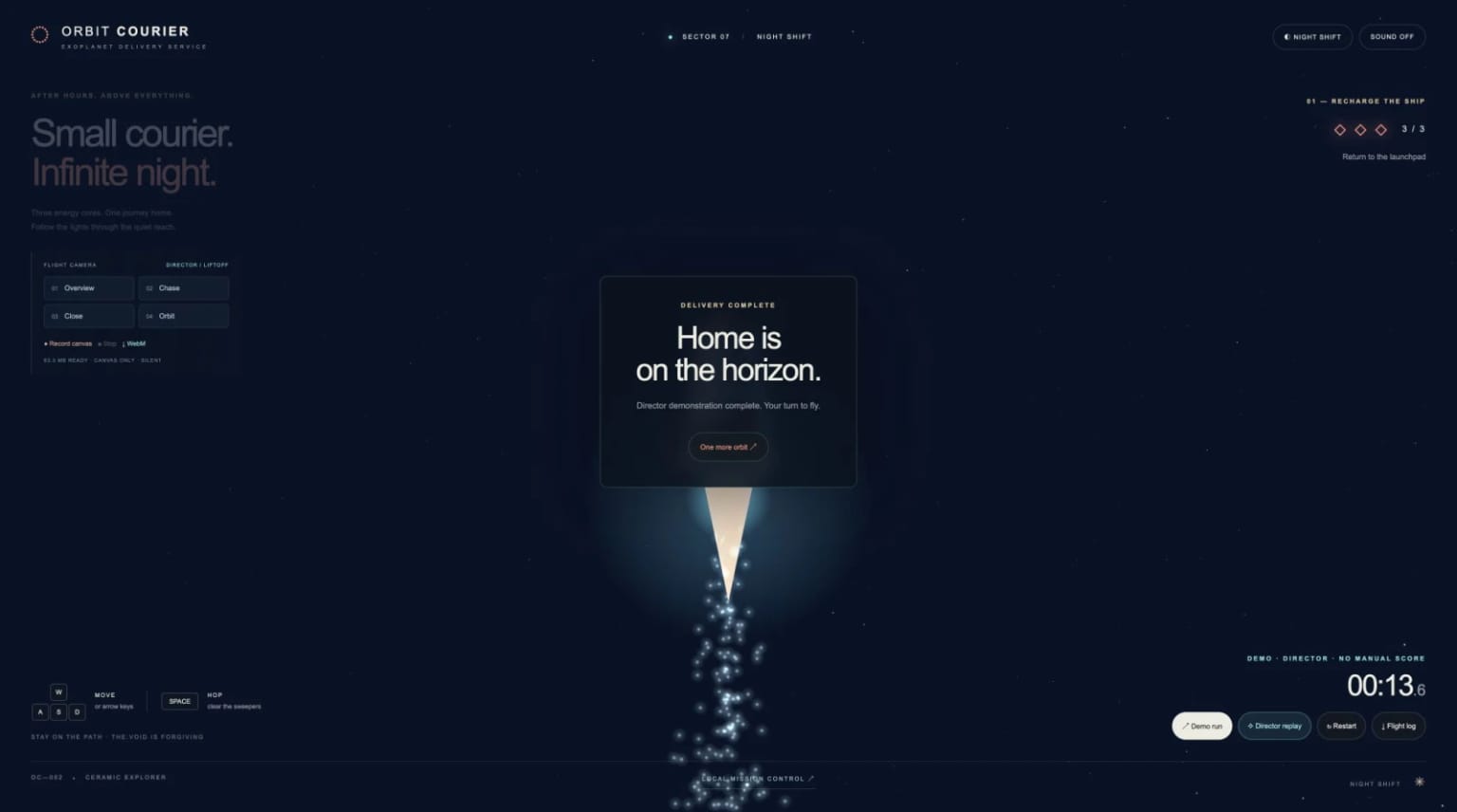
The next brief grew out of the result. The first camera showed the whole map, but the rover was small. We continued the same project: add a night shift, bring the camera closer, and make the journey easier to feel.
Dot added day and night lighting, selectable cameras, and a director demonstration. The core game rules stayed the same. At night, the navigation lights mark the route through the dark. A glowing trail helps you follow the little courier home.
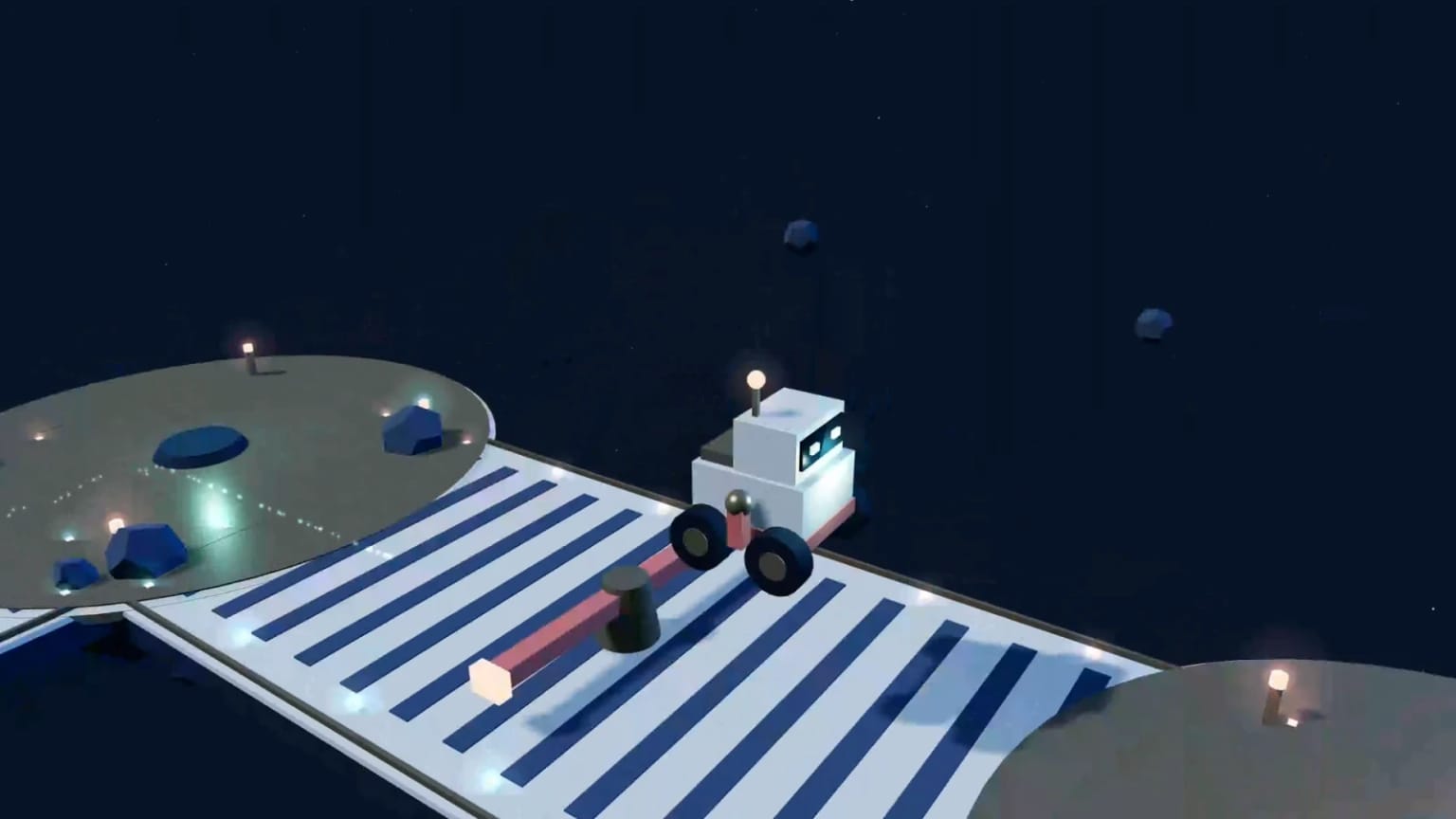
OpenAI describes dots as agents with their own cloud computer and browser that can continue working on responsibilities you give them. Here, continuity meant improving the same world instead of producing another unrelated demo. Dot made the files in the cloud; Codex performed the local browser checks and recordings.
A beautiful camera still needs to be comfortable
I loved the materials and the camera work in the earlier film. But some close rotations and successive angle changes made me feel dizzy. I asked for a quieter camera without losing the world we had built.
That is a specific kind of feedback. The interesting thing was already on screen. It needed enough time in a stable view for me to enjoy it.
The revised cinematic shots keep their world orientation. Near the rover, the camera makes a restrained move instead of orbiting around it. The film holds its setups longer. Dot's website also puts Comfort mode first and offers a calm demonstration, so this choice reaches the actual experience as well as the edit.
The old camera options remain available. They belong behind a deliberate choice, rather than surprising someone who just wants to understand the first jump.
Give the game a front door
Once the game was worth showing, the next request became obvious: turn it into a website.
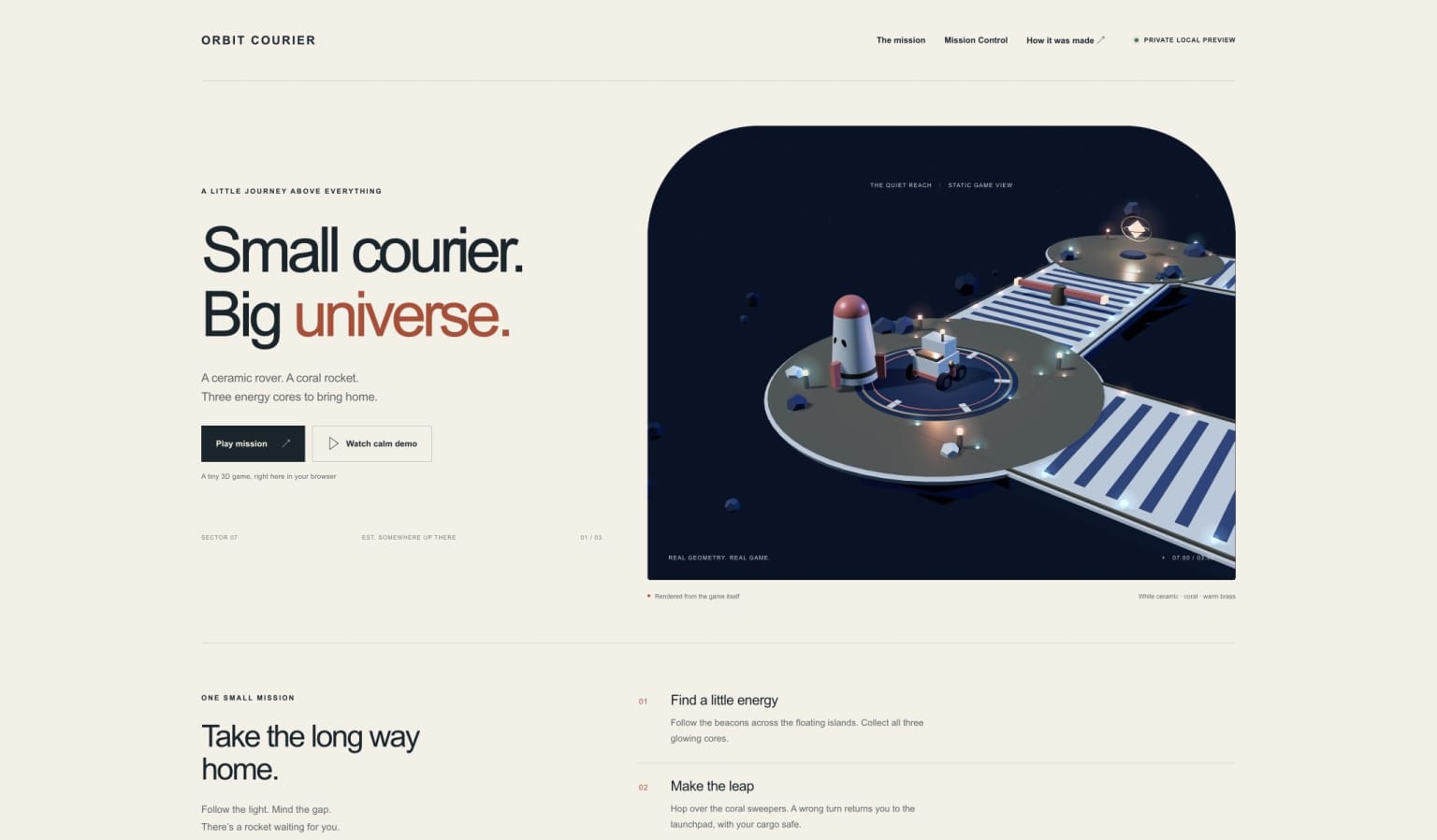
We asked Dot for a small space showroom around the same project. A visitor should immediately know what they can do: Play mission, Watch calm demo, or open Mission Control. There should also be a short account of how the project was made.
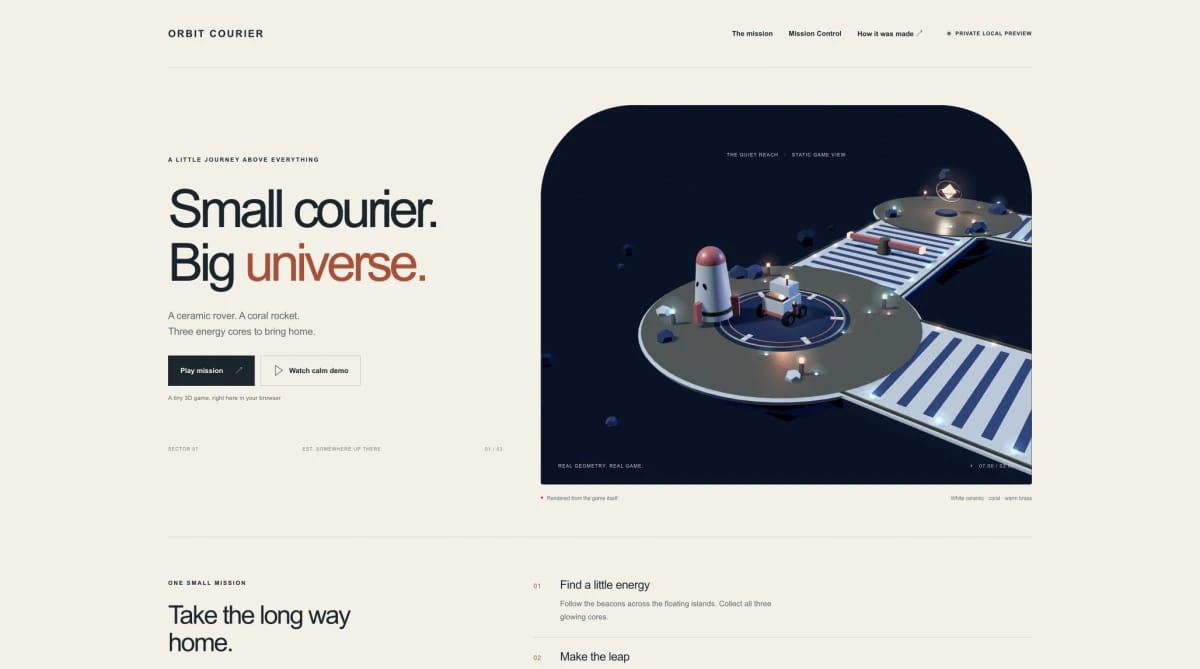
The homepage gives the world an entrance. Someone who wants to play can enter the mission. Someone who wants to watch can choose the demonstration. Someone interested in the journey can open the replay.
That changes the delivery. I can retain the source, open the experience, and give the next brief against a working artifact. The website carries its graphics library with it; it does not need a remote graphics-library service to draw the scene.
The package includes a static build and hosting notes. Codex checked the real local preview and the page routes. It has not been published. A working website on this computer and a public release are separate steps. This version is ready for my private review before that decision.
Make the log worth looking at
We gave the flight log a job: help someone understand the journey.
Dot built Mission Control. Codex exported a flight from the running game and imported that file into the page. The map traced the courier's route through the islands. The timeline marked the jumps, pickups, return and liftoff.
Click the second energy pickup and the replay moves to that moment. Play the journey again and watch the courier come home.
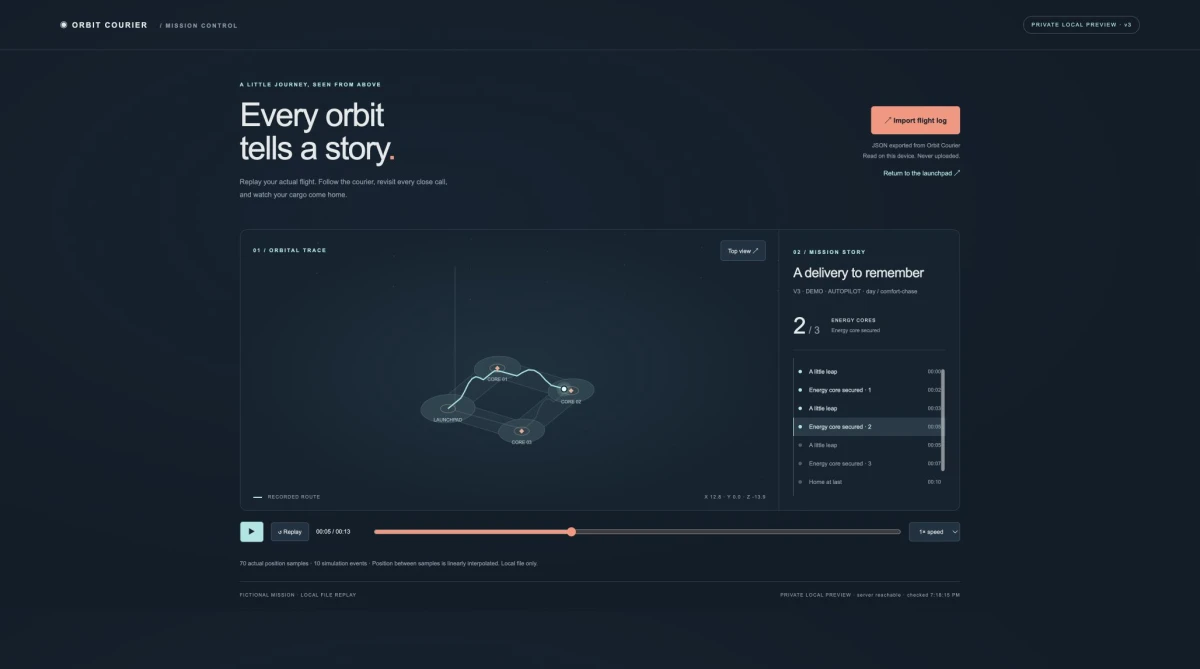
The map uses recorded positions and events, with interpolation between position samples. It does not invent another successful flight. The log now lets someone find a moment, understand the sequence, and talk about what happened.
This is the part I would carry into other work. A process review becomes more useful when people can point to a moment. A lesson becomes more interesting when a learner can try the decision. A pitch can give someone a small world to explore. Those are possible next applications; this fictional game has not established client outcomes for them.
What did it take?
The production record separates elapsed time from the work being measured. The previous cinematic render ended at 47 minutes 38 seconds in its Blender log. That measures one rendering job. It does not measure the whole project, and it cannot be added to overlapping jobs to produce a total.
The V4 revision added a website pass, calmer camera renders, actual browser recording, new narration, editing and checks. The receipt records their scope and observed time. Unchanged narration from the earlier film is reused, and the existing original score is arranged for the longer story.
| Item | What we can say |
|---|---|
| Earlier cinematic rendering | One logged job took 47:38; other work overlapped. |
| Dot website pass | 11:59 from request receipt to source/check inventory, from Dot’s observed record; attachment delivery followed. |
| V4 website and film extension | 42 min 14 sec wall clock from the V4 start to final film technical checks; this revision only, with packaging and synchronization measured separately. |
| Dot / Codex subscription allocation | Unknown for this project. |
| Billed narration and music dollars | Not visible in the production records; unknown, rather than zero. |
| Hosting | No new hosting service was purchased; no public deployment occurred. |
The version accompanying this article adds a short official Dot introduction ahead of that approved V4 film. The existing film is retained at its original pace, with its video and audio copied into the longer version. The introduction used five new narration segments and the existing theme. In the final finishing pass, we kept that narration, removed the screenshot drift, clarified the title layout and added one short closing passage that returns to Dot. Each revision has its own receipt; the older measurements remain attached to their original scope.
The production receipt gives the measured units and their limits. It is useful for deciding what to repeat or simplify next time. It is not an invented price tag or a claim that the whole result appeared instantly.
By the way: who made this?
Dot made the game, Mission Control and the website. Its contribution is visible in the runnable files.
Dot also returned recording and editing source, but no finished MP4: its cloud browser could not open the local page. Codex completed the actual local recording for this film.
Codex operated the local browser, recorded the experience, exported the game's geometry, and made the cinematic lighting, camera passages, narration and final edit. I gave the brief, rejected a dull early treatment, and supplied feedback on the story and motion.
So I cannot honestly say that Dot made this entire film on its own. I can show the parts it made and the parts we made around them. That is more useful to someone who wants to repeat the exercise.
The same approach could fit my other work. For a blog, I could ask Dot to collect primary sources and return a draft with a claim ledger. For a project review, I could ask for a shortlist of findings and a reproducible example. For a recurring workflow, I would specify when to run, where results belong and which changes deserve an update. These are briefs I would try next, not results established by this game.
A useful first request names the output, the inputs and the boundary. “Prepare a reviewable draft from these public sources; flag uncertainties; do not publish” gives me something I can judge. Once that works, I can add responsibility gradually.
If I were starting another Dot project, I would begin with one action, one obstacle and one satisfying result:
Build a small offline 3D experience someone can try. Give the player a clear goal and a visible ending. Return runnable files. Keep the project fictional and free of personal information. Then improve that same experience from our feedback.
The follow-up matters as much as the first brief. Make the camera comfortable. Give the game a front door. Let us replay the journey. Keep the files so we can continue.
Our little courier began as a sentence. Now it has a world to cross, a journey to replay, and an entrance someone can use. I want to see what happens when I take the controls.
Film sources: the new introduction uses source-attributed official OpenAI artwork and a labelled cloud-computer concept illustration. Actual local browser captures are labelled separately from cinematic illustrations made from the game's geometry. Demonstration automation is identified. The companion notes retain the source files, original archives, recording methods and making-of limits. The game website remains a local preview; this article and the companion film are being released separately.